Post by Clark Omholt, founder of Spectraflow and TruHu
Read the original article
TruHu, Datacolor Spyder, and Calibrite are three of the most widely used measurement-based monitor calibration tools. In this article, I’ll outline where each one excels, where it falls short, and how these products have evolved.
Full disclosure: my company builds TruHu, so I’m not completely neutral. However, I’m very familiar with its limitations and will point those out. Years of working with different display calibration systems heavily influenced TruHu’s design.
Table of Contents
- The Main Solutions
- Two Approaches to Monitor Calibration
- Display Calibration Tool Comparison Chart
- Feature Comparison | Spyder vs Calibrite vs TruHu
- Summary: What’s the Best Display Calibration Tool?
- FAQ: Monitor Calibration with Spyder, Calibrite, and TruHu
The Main Solutions
1. Datacolor Spyder
Datacolor’s Spyder line has been around for over 20 years, making it one of the longest-standing hardware calibration systems. Most of the improvements over time have focused on:
- Updating filters for new display technologies and wider gamuts
- Reducing the time required for calibration
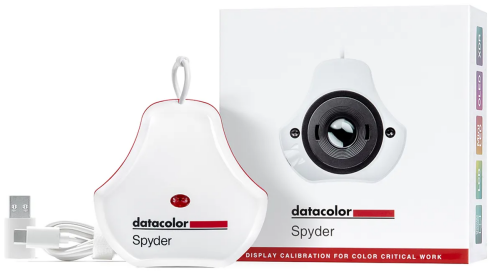
Spyder is available in several versions, plus bundles that add a color target (SpyderCheckr 24, similar to the GretagMacbeth ColorChecker) and printer profiling. Here we’ll stick to the monitor calibration devices:
- Spyder Express – $119
- Spyder (a.k.a. “Essential”) – $169
- SpyderPro – $269
2. Calibrite
Calibrite was created in 2021 to take over the marketing of X-Rite’s photo and video product line, including i1 Display-based monitor calibrators. Like Spyder, this technology has a history going back more than two decades, powered by X‑Rite’s color measurement technology.
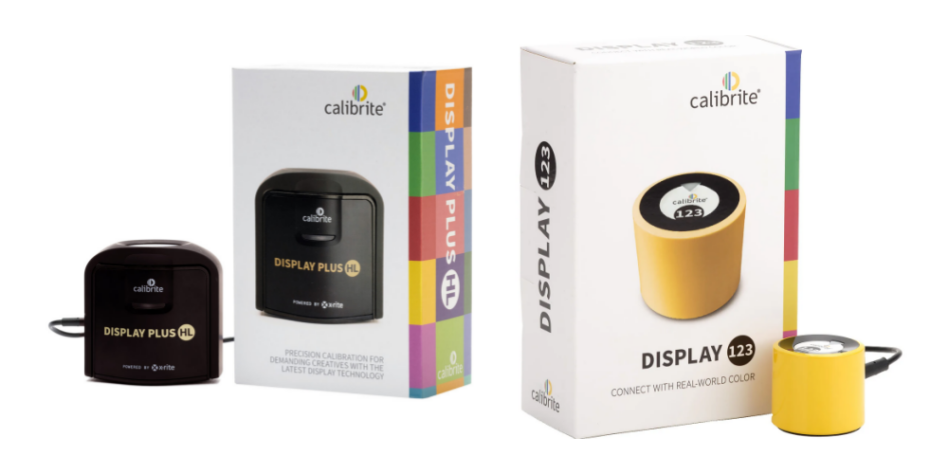
Their current lineup includes:
- Display 123 – $119
- Display Pro HL – $279
- Display Plus HL – $339
3. TruHu
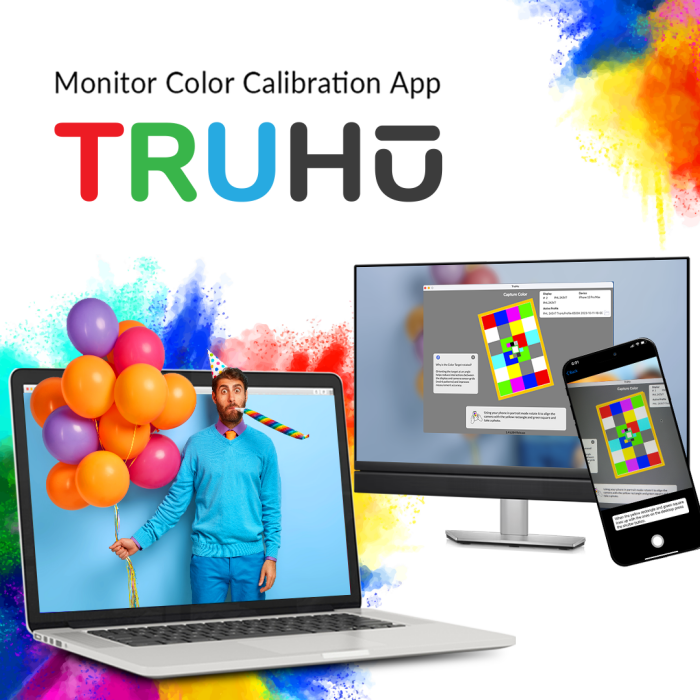
TruHu takes a software-only approach. It pairs an iPhone app with desktop software (macOS and Windows) and uses the phone’s camera sensor instead of a dedicated colorimeter. TruHu launched on Mac in 2023 and added Windows about a year later.
There is one version of TruHu, offered as an annual subscription:
- TruHu – $39.99/year
Two Approaches to Monitor Calibration
Monitor calibration tools typically follow one of two philosophies:
- Deep technical control
- Keep-it-simple (KISS)
Early users were photographers moving from darkrooms to digital. These were highly technical users who worked in dim, controlled rooms, often with gray walls. Tools for that more technically inclined audience added advanced options such as verification and ambient light compensation.
As calibration spread to designers, content creators, and general users, it became clear that many people didn’t want that complexity. Common complaints:
- Tools were expensive (often $200+)
- Options like gamma and luminance were confusing
- The process felt slow and cumbersome
In response, vendors introduced simpler, lower-cost products for users who just want good color with minimal friction. That’s where Spyder Express, Calibrite Display 123, and TruHu fit.
The sections below compare these three; I’ll mention higher-end Spyder/Calibrite models where relevant.
Display Calibration Tool Comparison Chart
| Category | TruHu | Spyder Express | Spyder (Essential) | Spyder Pro | Calibrite Display 123 | Calibrite Display Pro HL | Calibrite Display Plus HL |
|---|---|---|---|---|---|---|---|
| Model | TruHu | Express | (Essential) | Pro | Display 123 | Display Pro HL | Display Plus HL |
| Price | $39.99/yr | $119 | $169 | $269 | $119 | $279 | $339 |
| Sensor* | Phone Camera | Colorimeter | Colorimeter | Colorimeter | Colorimeter | Colorimeter+ | Colorimeter+ |
| Connectivity | Wifi | USB-A | USB-C | USB-C | USB-C | USB-C | USB-C |
| Speed | ~1 min | 1–2 | 2 | 3–10 min | 5 | 5 | 5–15 |
| Luminance | Visual | Measured | Measured | Measured | Measured | Measured | Measured |
| White Point Settings | 5 | 5 | Unlimited | Unlimited | 2 | Unlimited | Unlimited |
| Gamma Settings | 1 (2.2) | 5 | Unlimited | Unlimited | 2 | Unlimited | Unlimited |
| Max Lum (NITS) | ~500 | unknown | 750 | 2000 | 1000 | 3000 | 10000 |
| Ambient Light | No | No | Basic | Advanced | No | Yes | Yes |
| Verification | No | Yes | Yes | Yes | No | Yes | Yes |
| Max # of Monitors | Unlimited | 3 | Unlimited | Unlimited | 2 | 4 | 4 |
Feature Comparison: Spyder vs Calibrite vs TruHu
1. Cost
Spyder Express and Display 123 both cost $119 as one-time purchases. TruHu is $39.99/year. TruHu has the advantage of being cheaper to start with and doesn’t require shipping hardware, and you can try it for free.
Over about three year’s time, the total costs of all the products are similar. Beyond that, the hardware tools become cheaper per year, but you should also consider that colorimeter filters age, so replacing them every few years is wise if you care about accuracy.
Winner:
TruHu (slightly, due to lower upfront cost and free trial)
2. Accuracy
Comparing the accuracy of colorimeters directly is difficult, but a dedicated colorimeter is generally a more robust measurement device than a phone’s sensor. TruHu compensates with lookup tables tailored to your iPhone’s sensor characteristics and display backlight type, which brings accuracy into roughly the same range of a colorimeter for typical use.
TruHu’s process is more sensitive to user technique: strong stray light on the display or holding the phone at an odd angle can impact results negatively.
Spyder Express and Display 123 also measure more color patches than TruHu. Our research indicates that most displays behave linearly enough that this isn’t critical, but for problematic panels, the extra sampling can help.
Winner:
Spyder Express, Calibrite Display 123
3. Connectivity
Spyder Express and Display 123 connect via USB‑C. TruHu uses Wi‑Fi or cellular. That can be more convenient if you’re short on ports or adapters, and you’re more likely to have your phone handy than a colorimeter.
The tradeoff is that TruHu uploads are about 13 MB, so cellular transfers can be slower.
Another limitation: TruHu currently requires an iPhone. An Android version is planned for 2026; until then, Android users can’t use it.
Winner:
TruHu (if you use an iPhone)
4. Speed
Traditional monitor calibration runs often took 10–15 minutes, which discouraged use by busy people. Modern tools are faster:
- TruHu: around 1 minute
- Spyder Express / Display 123: about 2–5 minutes
All are much quicker than older solutions, but TruHu is the fastest.
Winner:
TruHu (slightly)
5. Luminance
Most calibration software defaults to 120 NITs (cd/m²), the ISO standard, and asks the user to choose a target. ISO assumes a dim viewing environment, which is not typical of most people’s working environment; in brighter rooms, a 120‑NIT display can feel too dark or “dull”, leading to disappointment with the calibration results.
TruHu avoids this by letting users set brightness visually for their actual environment rather than enforcing a specific measured value. The downside is that if you want an ISO-specified luminance of 120 NITs, TruHu cannot help with this.
Calibrite Display 123 simplifies luminance with two options:
- 120 NITs
- Native (current display brightness), similar to TruHu
Winner:
Spyder Express or Calibrite Display 123 (if you want measurement-based luminance)
6. White Point/Gamma
All three tools default to a 6500K white point, which happens to be the white point of common RGB color spaces like sRGB, Adobe RGB, and Display P3. All allow warmer or cooler white points, while higher-end Datacolor/Calibrite options support arbitrary white point values if you need something specific.
Gamma is another source of confusion. Many users don’t understand what gamma they really want; most workflows are well served by gamma 2.2, so TruHu fixes this at 2.2 and removes the choice. Display 123 offers a small set of gamma options. Higher-end packages add choices like gamma 2.4, which some video standards require.
Winner:
TruHu, Calibrite Display 123 (unless you need video gamma 2.4 or custom gamma)
7. Maximum Luminance
The emerging HDR standard is intended to improve the performance of monitors and TVs through improved contrast ratio and color range, partly by increasing peak luminance of the monitor. True HDR displays like Apple’s Pro Display XDR target 1000+ NITs, and not all measurement devices remain accurate at that level. That’s where DataColor and Calibrite come in. If you are spending $5000 on an XDR display, you want to get a higher end monitor calibrator to match.
Most users, however, use monitors in the 100–300 NIT range, where all three tools work fine.
Winner (<1000 NITs):
Tie
Winner (1000+ NITs):
Spyder Pro, Calibrite Display Pro
8. Ambient Light
Some of the monitor calibration packages have built-in ambient light detectors built into the sensors. You can leave it on your desktop, and if you invoke the ambient light compensation, the brightness of your display will change depending on the ambient light level in the room.
I’ve never actually seen anyone use this feature. It seems that if a cloud passes in front of the sun, it will cause the brightness to go down for a minute until it boosts up again after the cloud passes, which would be pretty distracting. It is my belief that the Ambient Light feature was a good idea in theory that doesn’t translate well in reality.
This feature seems to appeal only to high-end users, which explains why it isn’t included in Spyder Express, Display 123, or TruHu.
Winner:
Tie (included only in premium packages)
9. Verification
Verification re-measures a patch set after calibration and compares actual readings to the expected values of targets. It sounds useful, but in day-to-day use it rarely changes anything; successful calibrations almost always “pass.”
Verification is only available on higher-end Datacolor and Calibrite tools, not on Spyder Express, Display 123, or TruHu.
Winner:
Tie (included only in high end packages)
10. Number of Monitors Per License
Some products limit how many displays can be calibrated per license:
- Spyder Express: up to three monitors
- Calibrite Display 123: up to two monitors
By contrast:
- TruHu, Spyder Essential, Spyder Pro: unlimited monitors
Most users have one or two color-critical displays, so this won’t matter to everyone. For multi-monitor or multi-machine setups, it can be important.
Winner:
TruHu
Summary: Choosing the Right Display Calibration Tool
For most users, TruHu offers a nice balance of cost, simplicity, and reliable color. The free trial, lack of extra hardware, and fast process make it easy to adopt and maintain.
If you work with high-end HDR displays like Apple’s Pro Display XDR, Datacolor Spyder Pro or Calibrite Display Pro/Plus are the better choices.
If you want a traditional hardware solution with solid accuracy but don’t want to spend at the top end, Spyder Express and Calibrite Display 123 are both good, proven options. Even then, it’s still worth trying TruHu first, since it’s free to test and may already meet your needs.
FAQ: Monitor Calibration with Spyder, Calibrite, and TruHu
Do I really need to calibrate my monitor?
If accurate color matters for your work (photos, design, video, or print), calibration is very helpful. A display can look fine yet be off enough to cause mismatches when others view your work or when you print.
How often should I recalibrate?
For general use, every 1–3 months is reasonable. If color is critical to your job, monthly recalibration is a good habit. For light, occasional use, a few times a year is usually enough.
When is TruHu a better choice than a hardware colorimeter?
TruHu makes sense if you want a low upfront cost, a quick and simple process, and you don’t want to buy or store a dedicated device. It’s especially well suited to non‑HDR displays in typical brightness ranges.
When should I consider Spyder Express or Calibrite Display 123 instead?
Choose these if you prefer a classic hardware colorimeter and want measurement-based targets like exactly 120 NITs. They’re solid middle-ground options that balance cost and consistent accuracy.
Who needs Spyder Pro or Calibrite Display Pro/Plus?
These higher-end models are best for users with HDR or reference-grade displays, or for workflows that demand precise control at high brightness (1000+ NITs) and more advanced settings for gamma, white point, and verification.
For more information, call us at 415-382-8681 or contact us on our website.


